Unlock Your Productivity with the NOVOO USB C Docking Station: A Comprehensive Review
Our Product Insight
In today’s fast-paced digital world, having the right tools can make all the difference in your productivity. The NOVOO USB C Docking Station is designed to streamline your workspace by providing a multitude of connectivity options. Whether you’re a remote worker, a student, or a creative professional, this docking station promises to enhance your setup with its impressive features.Key Features
The NOVOO USB C Docking Station is packed with 10 essential ports that cater to various needs:- Dual 4K@60Hz HDMI Outputs: Enjoy stunning visuals with dual HDMI outputs that support resolutions up to 4K at 60Hz. If you’re looking to extend your display for multitasking or presentations, this feature is a game-changer.
- Single 8K@30Hz HDMI Output: For those who require even more detail, the single HDMI port supports 8K resolution at 30Hz, making it perfect for high-definition content creation or gaming.
- Gigabit Ethernet Port: Say goodbye to unreliable Wi-Fi connections. The gigabit Ethernet port ensures a stable and fast internet connection, ideal for video conferencing or large file transfers.
- 100W Power Delivery (PD): Charge your laptop while using the docking station. The 100W PD feature allows you to power your device without the hassle of multiple chargers.
- 4 USB A and C Data Ports: With multiple USB ports, you can connect various peripherals such as keyboards, mice, and external drives. This flexibility is essential for anyone who juggles multiple devices.
- SD/TF Card Reader: Easily transfer files from your camera or other devices with the built-in SD and TF card readers, making it a breeze to manage your media.
The design of the NOVOO docking station is sleek and compact, making it a perfect addition to any workspace without taking up too much room.
Who It's For
The NOVOO USB C Docking Station is versatile enough to cater to a wide range of users: - Remote Workers: If you work from home or in a hybrid setup, this docking station can help you create a more organized and efficient workspace. The ability to connect multiple monitors can significantly enhance your productivity. - Students: For students juggling various devices and needing to connect to projectors or external displays for presentations, this docking station is a practical solution. - Creative Professionals: Photographers, videographers, and graphic designers will appreciate the high-resolution output options and the fast data transfer capabilities.Pros and Considerations
While the NOVOO USB C Docking Station offers an impressive array of features, it’s essential to consider both the advantages and potential drawbacks:Pros:
- Multiple Display Options: The ability to connect dual 4K displays or a single 8K display is a significant advantage for users who require high-resolution outputs.
- Versatile Connectivity: With a variety of ports, this docking station can accommodate a wide range of devices, making it a flexible addition to your tech arsenal.
- Compact Design: Its sleek design ensures it won’t clutter your workspace, making it easy to integrate into any setup.
Considerations:
- Compatibility: While it works well with many devices, it’s essential to check compatibility with your specific laptop model to ensure all features function as intended.
- Heat Generation: Some users have reported that the docking station can get warm during extended use, which may be a consideration for those in warmer environments.
The NOVOO USB C Docking Station is an excellent tool for anyone looking to enhance their productivity and streamline their workspace. With its impressive array of features, including dual 4K outputs, multiple USB ports, and a gigabit Ethernet connection, it caters to a wide range of users. Whether you’re working from home, studying, or creating content, this docking station can help you achieve your goals with ease. If you’re interested in upgrading your workspace, be sure to check current price and see how this docking station can fit into your setup.
1. To enhance your home office setup, consider the Highwings 4K Long HDMI Cable 10M, which ensures high-speed connections for crystal-clear video quality. 2. For a reliable connection to your printer, the rhinocables USB 2.0 Printer Cable is an excellent choice with its gold connectors and high-speed data transfer capabilities. 3. If you require robust connectivity for your medical equipment, the ZCZQC 10PCS RG6 Coaxial Connectors provide weatherproof solutions compatible with various shielded cables. 4. To maximize your data transfer speed, the GELRHONR 100W USB C Extension Cable is perfect, offering fast charging and video output at 4K 60Hz. 5. Don't overlook the RIIEYOCA 100W USB C Extension Cable Short, which supports ultra-fast 40Gbps data transfer and 8K@60Hz UHD video output for your devices.
More Products You Might Like

Akake Cat 8 Ethernet Cable, 0.5M 1M 2M 3M 5M 6M 9M 12M 15M 1
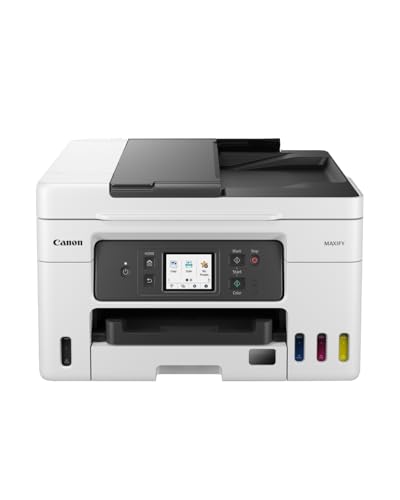
Canon MAXIFY GX4050 Printer for Home/Office Use - Colour Pri

rhinocables USB 2.0 Printer Cable | Gold Connectors, High-Sp
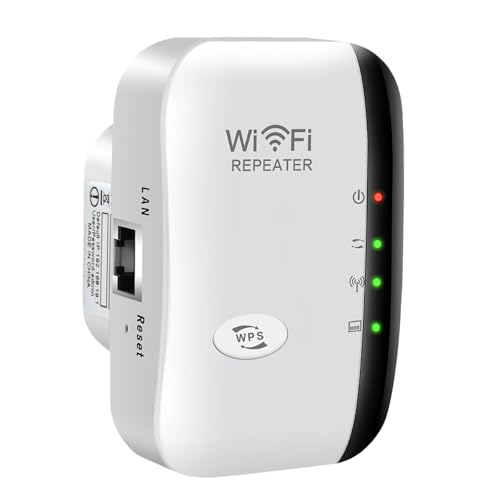
2025 Wifi Extender Booster for Home - Wifi Booster Wifi Exte
Zazalon 4k HDMI Cable 10M,High Speed HDMI 2.0 Cord, Support
Disclaimer: This article has been generated through our AI content insight system and is intended for general informational purposes only. Please carry out your own research and review product details directly before making any purchase decisions.