Unlock Your Productivity with the USB C Docking Station Triple Monitor
Our Product Insight
In today’s fast-paced digital world, having the right tools at your fingertips can make all the difference. The USB C Docking Station Triple Monitor is a versatile accessory designed to enhance your workspace, whether you're working from home, in a co-working space, or at the office. With its ability to support multiple monitors and a plethora of ports, this docking station is a game-changer for anyone who needs to maximize their productivity.Key Features
The 12 in 1 Docking Station is packed with features that cater to various needs. Here’s a closer look at what it offers:- Triple Monitor Support: With 4K Dual HDMI and 8K DisplayPort, you can connect up to three monitors simultaneously. This is perfect for multitasking, allowing you to have multiple applications open at once without the hassle of switching between tabs.
- High-Speed Connectivity: Equipped with 4 USB-A 5G ports and 2 USB-C 10G ports, you can connect all your peripherals, from external hard drives to keyboards and mice, with lightning-fast transfer speeds.
- 130W Power Adapter: This docking station comes with a robust 130W adapter, ensuring that your laptop stays charged while you work. This is especially beneficial for power-hungry laptops that require more energy.
- Ethernet Port: Say goodbye to unreliable Wi-Fi connections! The built-in Ethernet port provides a stable and fast internet connection, which is essential for video conferencing and large file downloads.
- 3.5mm Multiport Adapter: The inclusion of a 3.5mm audio jack means you can easily connect your headphones or speakers, enhancing your audio experience during calls or while enjoying media.
While the features are impressive, it’s essential to consider how they align with your specific needs.
Who It's For
The USB C Docking Station is ideal for a wide range of users: - Remote Workers: If you’re working from home, the ability to connect multiple monitors can significantly improve your workflow. You can have video calls on one screen, documents on another, and research on a third. - Students: For students juggling online classes and assignments, this docking station can help keep everything organized and accessible, making studying more efficient. - Creative Professionals: Designers, video editors, and other creative professionals will appreciate the high-resolution display capabilities and the ability to connect multiple devices simultaneously. - Gamers: If you’re into gaming, the high-definition output can enhance your gaming experience, allowing for immersive visuals.Pros and Considerations
Like any product, the USB C Docking Station has its pros and cons. Here’s a balanced look:Pros:
- Versatile Connectivity: With multiple ports, it caters to various devices and needs.
- Enhanced Productivity: The ability to connect multiple monitors can streamline your workflow.
- Fast Data Transfer: High-speed USB ports mean you can transfer files quickly, saving you time.
Considerations:
- Compatibility: While it works with many laptops, it’s essential to check compatibility with your specific device, especially if you have an older model.
- Size: Depending on your workspace, the size of the docking station might take up some desk real estate, so plan accordingly.
In conclusion, the USB C Docking Station Triple Monitor is a powerful tool that can transform your workspace into a productivity powerhouse. Whether you’re a remote worker, student, or creative professional, this docking station offers the versatility and connectivity you need to thrive in today’s digital landscape. So, if you’re looking to enhance your setup, be sure to check current price and consider adding this docking station to your arsenal of productivity tools!
If you're looking to enhance your productivity with a reliable connection, the Highwings 4K Long HDMI Cable 10M is perfect for achieving high-definition visuals across multiple monitors. For seamless printing solutions, consider the rhinocables USB 2.0 Printer Cable, which offers high-speed data transfer and universal compatibility. To ensure your medical equipment maintains optimal performance, the ZCZQC 10PCS RG6 Coaxial Connectors are weatherproof and compatible with various shielded cables. Enhance your workspace with the GELRHONR 100W USB C Extension Cable, which supports fast charging and provides exceptional video quality. Lastly, the RIIEYOCA 100W USB C Extension Cable Short is ideal for high-speed data transfer and supports stunning 8K video output, making it a must-have for any productivity setup. Check out the rhinocables USB 2.0 Printer Cable | Gold Connectors, High-Speed 480 Mbps Data Transfer | Multi-Shielded A-Male to B-Male | Universal Compatibility for for great value. Check out the ZCZQC 10PCS RG6 Coaxial Connectors 75-5 F Head Compression Weatherproof Compatible with RG6 Double Triple and Quad Shielded Cables for Medical Equipme for great value. Check out the GELRHONR 100W USB C Extension Cable, Right Angle USB C Data Cable Fast charging 10G Data Transfer 4K 60HzVideo Output, Flat Elbow Type C Extension Cab for great value. Check out the RIIEYOCA 100W USB C Extension Cable Short, 40Gbps High Speed Data Transfer Cable, USB C Male to Female Flat Cable, Supports 8K@60Hz UHD Video Output ( for great value.
More Products You Might Like

1000Mbps Cat6 Ethernet Network Switch, 1 to 2 Gigabit Ethern
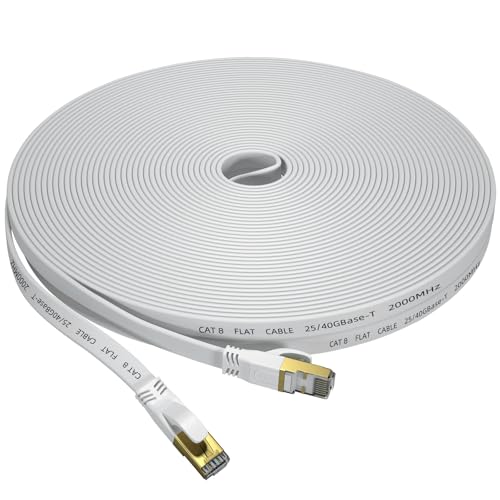
Cat 8 Ethernet Cable 30M, Outdoor&Indoor High Speed Heavy Du

XRCHAA Tyre Inflator Air Compressor,Car Tyre Inflator,With D

PCSL® High-Speed HDMI Cable 1m 2m 3m 4m 5m 10m 20m - Supp

Wavlink Universal Docking Station Laptop USB 3.0 Dock with D
Disclaimer: This article has been generated through our AI content insight system and is intended for general informational purposes only. Please carry out your own research and review product details directly before making any purchase decisions.