Unlock Your Workspace Potential with the WAVLINK Displaylink Laptop Docking Station
Our Product Insight
In today's fast-paced digital world, having a reliable docking station can significantly enhance your productivity. The WAVLINK Displaylink Laptop Docking Station is designed to cater to the needs of both Mac and Windows users, offering a seamless experience with its impressive array of features. Whether you're a remote worker, a student, or a creative professional, this docking station aims to simplify your workspace by providing multiple display options and connectivity solutions.Key Features
Triple Display Capability
One of the standout features of the WAVLINK docking station is its triple display support. With three HDMI ports and the ability to connect dual 2K displays alongside a 4K monitor, you can expand your workspace significantly. This is particularly beneficial for multitaskers who need to juggle various applications simultaneously. Imagine having your email open on one screen, a video conference on another, and your project files on the third!Ample Connectivity Options
Connectivity is key in a docking station, and the WAVLINK does not disappoint. It comes equipped with five USB ports, including USB-C, which allows you to connect multiple devices such as keyboards, mice, and external drives without hassle. Furthermore, the 1Gbps Ethernet port ensures a stable and fast internet connection, which is essential for those working with large files or during video calls.
Powerful Charging
Charging your devices while working is a must, and this docking station provides 100W charging capability. This means you can power your laptop and other devices simultaneously, reducing the clutter of multiple chargers on your desk. This feature is particularly useful for Mac users with M1, M2, M3, and M4 chips, ensuring that your devices stay charged throughout the day.
Audio and SD/TF Card Support
The WAVLINK docking station also includes audio and microphone ports, making it easy to connect your headphones or external speakers. Additionally, the SD/TF card slots allow for quick and easy access to your photos and files, making it a great tool for photographers and videographers.
Who It's For
The WAVLINK Displaylink Laptop Docking Station is ideal for a variety of users: - Remote Workers: If you work from home, having multiple screens can help you stay organized and productive. - Students: With the ability to connect to multiple displays, students can easily manage their research and coursework. - Creative Professionals: Designers and video editors will appreciate the high-resolution display options and fast data transfer capabilities.Pros and Considerations
While the WAVLINK docking station has many advantages, it’s important to consider a few potential drawbacks.
- Pros:
- Versatile Display Options: The ability to connect multiple monitors is a game-changer for productivity.
- Multiple Connectivity Ports: With ample USB ports and Ethernet support, you can connect all your essential devices.
- Powerful Charging: The 100W charging capability is a significant plus for users with power-hungry devices.
- Considerations:
- Setup: Some users may find the initial setup a bit complex, especially if they are not familiar with docking stations.
- Compatibility: While it works well with most devices, checking compatibility with your specific laptop model is advisable.
In summary, the WAVLINK Displaylink Laptop Docking Station is a robust solution for anyone looking to enhance their workspace. With its triple display capability, ample connectivity options, and powerful charging, it caters to a wide range of users. Whether you're juggling multiple tasks or simply want to streamline your workspace, this docking station could be the tool you need to boost your productivity. Don't forget to check the current price and see how it can fit into your setup today!
If you're looking to enhance your workspace setup, consider the Highwings 4K Long HDMI Cable for seamless video output and high-speed data transfer. To ensure your printer performs at its best, the rhinocables USB 2.0 Printer Cable offers reliable connectivity with gold connectors for optimal data transmission. For those in need of strong and weatherproof connections, the ZCZQC RG6 Coaxial Connectors are perfect for any coaxial cable requirements in a professional environment. Elevate your charging capabilities with the GELRHONR 100W USB C Extension Cable, which supports fast charging and 4K video output. Lastly, the RIIEYOCA 100W USB C Extension Cable Short is ideal for high-speed data transfer and supports stunning 8K video, making it a valuable addition to your workspace. Check out the rhinocables USB 2.0 Printer Cable | Gold Connectors, High-Speed 480 Mbps Data Transfer | Multi-Shielded A-Male to B-Male | Universal Compatibility for for great value. Check out the ZCZQC 10PCS RG6 Coaxial Connectors 75-5 F Head Compression Weatherproof Compatible with RG6 Double Triple and Quad Shielded Cables for Medical Equipme for great value. Check out the GELRHONR 100W USB C Extension Cable, Right Angle USB C Data Cable Fast charging 10G Data Transfer 4K 60HzVideo Output, Flat Elbow Type C Extension Cab for great value. Check out the RIIEYOCA 100W USB C Extension Cable Short, 40Gbps High Speed Data Transfer Cable, USB C Male to Female Flat Cable, Supports 8K@60Hz UHD Video Output ( for great value.
More Products You Might Like
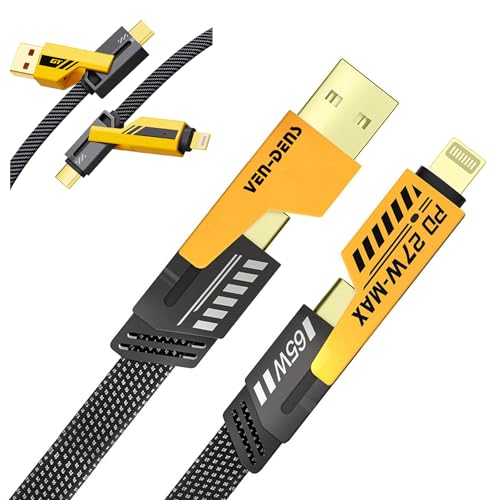
VEN-DENS 65W 4-in-1 Charger Cable - Fast-Charging Flat USB-C
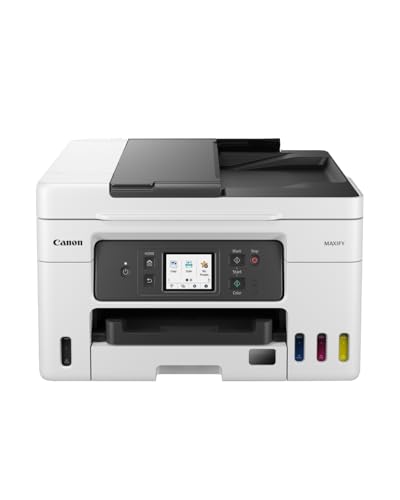
Canon MAXIFY GX4050 Printer for Home/Office Use - Colour Pri

VOIETOLT Cat 8 Ethernet Cable 10M, High-Speed 40Gbps/2000Mhz
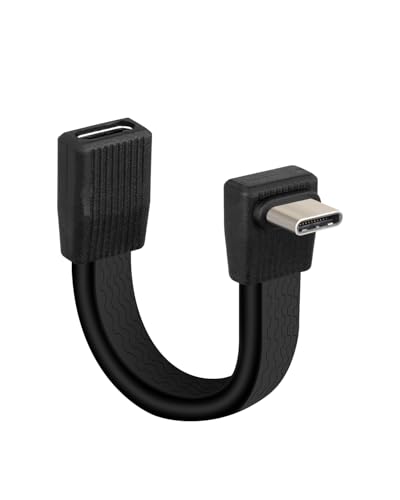
YANBORONSN 80Gbps Short USB 4 Flat Extension Cable,3.1 USB C

SinLoon 90Elbow USB C Extension Cable - Flat Silicone Type-C
Disclaimer: This article has been generated through our AI content insight system and is intended for general informational purposes only. Please carry out your own research and review product details directly before making any purchase decisions.