



Checkout on the retailer site
Payment is handled by the retailer
Check return terms
Retailer or seller terms apply
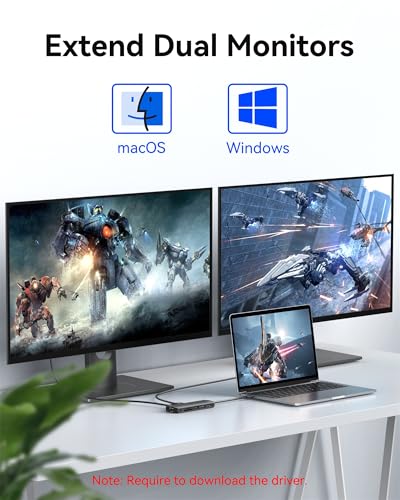
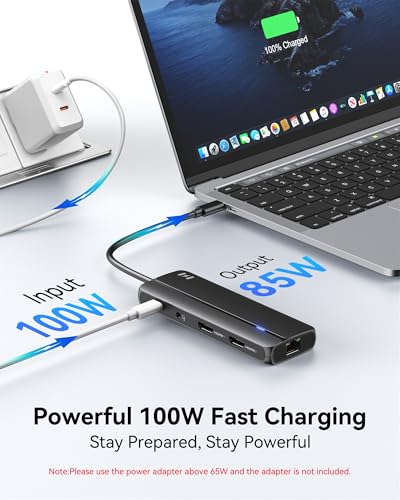
This Docking Station Dual HDMI Splitter is ideal for professionals and creatives who require an efficient multi-display setup. Its capability to connect dual monitors via two HDMI ports, supporting resolutions up to 4K at 30Hz, makes it perfect for graphic design, coding, or video editing. The versatile 10-in-1 design caters to a range of peripherals, including fast charging via USB-C PD 100W and high-speed data transfer with 5 Gbps ports. This product stands out for its broad compatibility with macOS and Windows systems, making it an essential tool for users with demanding connectivity needs.
Best suited for users needing multiple display outputs, this docking station connects easily to M1 and M2 MacBook Pro/Air as well as Windows laptops via a single USB-C port. Care should be taken to use a power adapter above 65W for optimal performance. The device includes various ports for seamless connectivity, ensuring all necessary cables are easily accessible.
10-in-1 USB-C Docking Station with Dual HDMI for MacBook Pro/Air and Windows
Key Takeaway
Transform your workspace with this 10-in-1 USB-C Docking Station, designed for seamless dual HDMI display connectivity for your macOS or Windows devices. Priced at just Check price on Amazon, it offers essential features like 2 HDMI ports, USB C/A 3.0, 100W Power Delivery, Ethernet, and audio/mic support, making it perfect for professionals and creatives who need to enhance productivity and multitask effortlessly. Upgrade your setup and enjoy a clutter-free, efficient work environment!
Frequently Asked Questions
What is Docking Station Dual HDMI Splitter Extended Display?
The Docking Station Dual HDMI Splitter Extended Display is a 10 in 1 USB C docking station designed for macOS and Windows. It allows users to connect dual monitors via 2 HDMI ports, enhancing productivity with extended displays.
How much does Docking Station Dual HDMI Splitter Extended Display cost?
The Docking Station Dual HDMI Splitter Extended Display is priced at Check price on Amazon. This affordable docking station offers great value by combining multiple functionalities in one device.
What are the key features of Docking Station Dual HDMI Splitter Extended Display?
Key features include dual HDMI outputs for extended displays, USB C/A 3.0 ports for fast data transfer, and PD 100W for power delivery. It also includes Ethernet and audio/mic ports for comprehensive connectivity.
Who is Docking Station Dual HDMI Splitter Extended Display best for?
This docking station is ideal for M1 and M2 MacBook Pro/Air users and professionals needing dual monitor setups. It's perfect for remote workers, designers, and anyone looking to enhance their workspace.
How do I use/care for Docking Station Dual HDMI Splitter Extended Display?
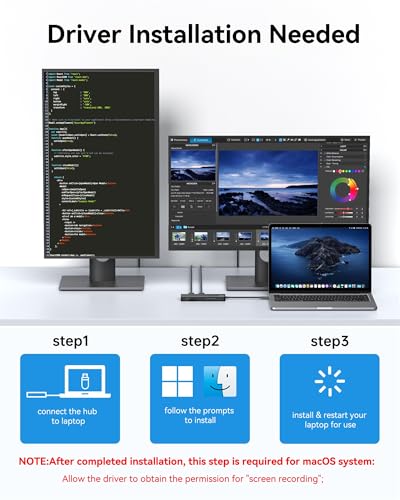
To use the docking station, simply connect it to your laptop via the USB C port and plug in your monitors through the HDMI ports. For care, avoid exposing it to moisture and ensure proper ventilation during use.
Check delivery details
Delivery estimates are shown by the retailer
External retailer checkout
Payment is handled by the retailer
Check current prices
Check current retailer offers
Expert Support
Here to help you choose